How to Choose a Web Designer (Without Getting Burned)
ScoutHiring a web designer is one of the biggest investments you'll make for your business. Here's a practical guide to spotting red flags, knowing what good looks like, and asking the right questions before you sign anything.
Hiring a web designer feels a lot like hiring a contractor to renovate your house. You know you need one. You know it’s going to cost real money. But unless you’ve done it before, you have no idea what “good” looks like, what things should cost, or how to tell the difference between someone who knows their craft and someone who’s going to take your deposit and deliver something you hate.
I’ve been building websites for over 15 years, and I’ve seen what happens when this decision goes wrong. Businesses stuck in contracts they can’t get out of. Sites built on platforms the owner can’t access. Gorgeous designs that don’t show up in a single Google search. Thousands of dollars spent on something that needs to be completely rebuilt a year later.
This post is a genuine buyer’s guide. We’re a web design company, yes, so take that for what it’s worth. But the advice here applies whether you hire us, hire someone else, or hire your nephew who “knows WordPress.” The goal is to help you make a good decision.
Red Flags: Walk Away If You See These
These are the warning signs that come up again and again in bad web design experiences. Any one of them is worth a pause. More than one? Find someone else.
They Don’t Have a Portfolio of Live Sites
This is the single biggest red flag. If a web designer can’t show you real websites they’ve built for real businesses, that tells you everything. Mockups and design concepts are fine as supplements, but you need to see finished, live sites that are actually being used by real companies.
When you look at their portfolio, visit the sites. Click around. Check them on your phone. If the portfolio is full of screenshots with no links, ask why. There might be a reasonable answer (the client rebranded, the business closed), but most of the time, the answer is that the work doesn’t hold up.
The Price Is Suspiciously Low
A custom business website with real content, proper SEO, and a thoughtful design takes time. Weeks of time. If someone quotes you $500 for a complete business website, they’re either using a template and swapping in your logo, or they’re cutting corners you won’t see until later.
Cheap websites tend to cost more in the long run. You pay $500 now, realize six months later that your site doesn’t rank, doesn’t convert, and doesn’t represent your business well, then you pay $5,000 to have it done right. We see this all the time.
That’s not to say expensive always means good. But if a quote seems too good to be true, it is.
They Don’t Mention SEO at All
If your web designer never brings up search engine optimization, that’s a problem. A website that nobody can find is an expensive business card. SEO should be part of the conversation from the very first meeting, because the decisions that affect search visibility are made during the planning and building of the site, not after. If you want to understand why site speed matters for search rankings, it’s one of those details that gets baked in during the build, not bolted on later.
You don’t need your designer to be an SEO guru. But they should understand heading structure, title tags, meta descriptions, site speed, mobile responsiveness, and schema markup. If they look blank when you mention any of those terms, keep looking.
They’re Using an AI Site Builder (and Calling It Custom)
This is the new one. AI website builders (Wix ADI, Durable, Framer AI, etc.) can generate a working website in minutes. That sounds great until you realize it’s generic, indistinguishable from every other AI site, and optimized for templates, not for your business.
Ask directly: Are you building this from scratch, or are you using an AI tool to generate it? If they’re using AI, ask why. If their answer is “it’s faster and cheaper,” that’s fine for a business that wants a placeholder. But if you want a website that actually represents your business and shows up in Google, that’s a different story.
Red flag: A designer who won’t admit they’re using AI, or who presents AI-generated work as custom-built.
They Use a Template and Call It Custom
There’s nothing inherently wrong with starting from a template. Plenty of good websites use theme frameworks as a starting point. The problem is when someone charges you custom prices for template work and doesn’t tell you.
Ask directly: are you building this from scratch, or starting from a template? Either answer can be fine, but you deserve to know what you’re paying for. A custom build means the design is created specifically for your business, your content, and your goals. A template means the structure already exists and your content gets dropped into it.
You Won’t Own Your Website
This one is critical. Some designers and agencies build your site on their hosting, their accounts, and their proprietary systems. When the relationship ends, you discover that you don’t actually own your website. You can’t move it. You can’t access the files. You’re locked in.
Before you sign anything, ask: who owns the website when it’s done? Will I have admin access? Can I take my site to a different host if I want to? If the answer to any of those is no, or if they get vague, that’s your sign to leave.
They Don’t Ask About Your Business
A web designer who jumps straight into talking about colors, fonts, and layouts without asking about your business, your customers, and your goals is building a website in a vacuum. The design should serve the business. That means the designer needs to understand the business first.
If the first conversation is all about aesthetics and nothing about strategy, you’re going to end up with a pretty site that doesn’t do anything for you.
Green Flags: Signs You’ve Found a Good One
Now the flip side. Here’s what it looks like when you’re talking to someone who knows what they’re doing and cares about doing it well.
They Have a Real Portfolio with Live, Working Sites
Good web designers are proud of their work and happy to show it. They’ll give you links to live sites you can visit, click through, and test on your phone. Even better, they’ll walk you through the thinking behind the design. Why did they structure the homepage that way? How did they approach the content? What were the results?
They Ask Smart Questions About Your Business
Before they talk about design, they want to know: Who are your customers? What do they search for when they need what you offer? What makes your business different from the competition? What’s working for you right now and what isn’t?
These questions tell you that the designer is thinking about your website as a business tool, not a piece of art. That’s what you want.
They Talk About Content and SEO as Part of the Build
A good web designer knows that design, content, and search visibility are all connected. They’ll talk about how the site will be structured so that Google can understand it. They’ll ask about your content. Who’s writing it? Do you have photos? They’ll ensure title tags, meta descriptions, and schema markup are continuously managed and optimized, not set once and forgotten. Understanding what makes a good business website means knowing that content and SEO are built into the foundation, and your designer should demonstrate that understanding. Building trust signals through E-E-A-T principles is another area where a knowledgeable designer will stand out.
If they mention things like heading hierarchy, site speed, and mobile-first design without you asking, you’re in good hands.
They Have a Clear Process
Professionalism shows in the process. A good designer will explain exactly how the project works: what happens first, how long each phase takes, when you’ll see drafts, how revisions work, and what they need from you along the way. You can see an example of what a clear, structured web design and marketing process looks like to get a sense of what to expect.
If the process feels organized and the timeline is clear, that’s a strong signal. If it feels vague and improvised, that’s a warning.
You Own Everything When It’s Done
The best designers build your site on your hosting, give you full admin access, and hand over everything when the project is complete. Your website is your property. You should be able to take it anywhere, hire anyone to maintain it, and never feel locked in.
Questions to Ask Before You Hire Anyone
Print this list. Bring it to your first conversation. Any good designer will appreciate that you’re doing your homework.
- Can you show me three to five live websites you’ve built? Not mockups. Live, working sites you can visit right now.
- What’s your process from start to finish? You want a clear answer with defined phases, not a vague “we’ll figure it out as we go.”
- Who owns the website when the project is done? The answer should be you. Period.
- Will I have full admin access? You should be able to log in, make changes, and manage your own site.
- How do you handle SEO? Look for specifics: title tags, meta descriptions, heading structure, site speed, schema markup. If they say “we’ll add SEO later,” that’s a red flag.
- What platform will you build on, and why? WordPress, Squarespace, Webflow, custom code. There are good reasons for each. You want to hear their reasoning.
- What do you need from me, and when? Content, photos, brand guidelines, access credentials. A good designer will have a clear list.
- How many rounds of revisions are included? Get this in writing. “Unlimited revisions” usually means neither of you has a clear plan.
- What does ongoing maintenance look like? Updates, security, hosting, backups. Find out what’s included after launch and what costs extra.
- Can I see a written contract or scope of work before we start? Everything should be documented. If someone wants to start work on a handshake, protect yourself.
What a Realistic Timeline Looks Like
For a small business website (five to eight pages, original content, custom design), here’s a reasonable timeline:
- Discovery and planning: 1 to 2 weeks. This is where the designer learns your business, defines the site structure, and plans the content.
- Design: 2 to 3 weeks. You’ll see homepage mockups or wireframes. Revisions happen here.
- Development: 2 to 4 weeks. The approved design gets built into a working website. Content goes in. SEO gets set up.
- Review and launch: 1 to 2 weeks. You test everything. Final revisions. The site goes live.
Total: roughly 6 to 12 weeks from kickoff to launch. Faster is possible for simpler sites. More complex projects with lots of pages or custom functionality can take longer.
Be suspicious of anyone who promises a full custom site in a week. Be equally suspicious of anyone who can’t give you a timeline at all.
What a Realistic Budget Looks Like
This is the question everyone wants answered, and the answer is genuinely “it depends.” But here are some real ranges for 2026:
- Template-based site with basic customization: $1,500 to $3,000. You’re getting a pre-built theme adjusted to fit your brand. Fine for businesses that need something simple and fast.
- Custom-designed small business site (5 to 8 pages): $4,000 to $10,000. Original design, real content strategy, SEO built in, mobile-first. This is where most small businesses land.
- Larger or more complex sites: $10,000 to $25,000+. E-commerce, custom functionality, large content libraries, ongoing content strategy.
These numbers reflect working with a professional designer or small agency. Freelancers may charge less. Large agencies will charge more. The important thing is understanding what you’re getting for the price.
A few things that affect cost: the number of pages, whether you’re providing content or the designer is writing it, custom photography versus stock, integrations with other tools (booking systems, payment processing), and the complexity of the design.
What About Ongoing Costs?
Your website isn’t a one-time purchase. After launch, you’ll have recurring costs:
- Hosting: $20 to $100 per month for quality hosting. Cheap hosting leads to slow sites and security problems.
- Domain name: $10 to $20 per year. Make sure you own the domain registration, not your designer.
- Maintenance and updates: $50 to $200 per month if you hire someone to handle WordPress updates, security monitoring, and backups. Some business owners handle this themselves.
- Content and SEO (optional): $500 to $2,000+ per month for ongoing blog content, search optimization, and reporting. This is where a site goes from “exists” to “actively growing your business.”
Budget for these upfront so you’re not caught off guard.
The Takeaway
Hiring a web designer is a significant decision, and the difference between a good one and a bad one can mean thousands of dollars and months of frustration. The good news is that the warning signs are predictable. No portfolio, rock-bottom prices, no mention of SEO, murky ownership terms. These are the same problems that show up in bad projects over and over.
Trust your instincts. If something feels off in the first conversation, it’s not going to get better once money changes hands. Ask the hard questions. Get everything in writing. And make sure you walk away owning a website that actually works for your business.
We’d love to be the team you choose, but more than that, we want you to make a decision you’re happy with. The right web designer is out there. Now you know how to find them.
Looking for a web designer you can trust? Start a conversation with us. We’ll answer every question on this list and a few you haven’t thought of yet. If we’re the right fit, you’ll know.
Written by
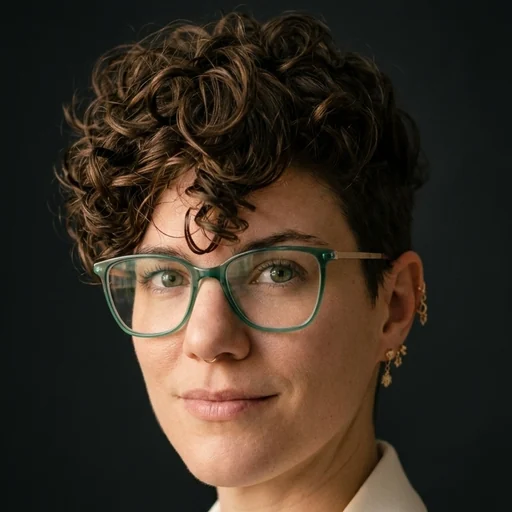
Joy McNamara is a co-founder and the creative director of Scout Media & Consulting, and a Navy veteran. She has designed and built websites for more than 15 years, with a focus on WordPress, SEO, and the details that help Google trust a business.
Monthly website tips
Get one practical website tip each month
Sean and Joy write it, it takes two minutes to read, and you can unsubscribe anytime.